Support
Most questions are answered below. If you're still stuck, we're happy to help — just send us a note.
Get in touch
Tell us what's happening and we'll get back to you.
Photos
- My photo didn't finish or got stuck. If a photo doesn't complete, we don't charge you a credit for it. Check your connection, then try again. If it keeps failing on the same item, try a fresh shot of it, or come back and try again a little later.
- The result didn't look right. Your results are only as good as the photo you start with. Try again for a fresh take, or reshoot using the steps below — a cleaner starting photo makes the biggest difference.
Taking a good photo
A few simple things give you the cleanest, most sell-ready results:
- Find good light. Natural daylight near a window works best. Avoid dim rooms and harsh, direct light that casts strong shadows.
- Use a plain background. Lay the item on a clean floor or hang it against a plain wall or door — one even colour, free of clutter.
- Lay it flat or hang it straight. Smooth out wrinkles and square the item up so its true shape comes through.
- Fill the frame. Get the whole item in with a little space around the edges, hold steady, and make sure it's in focus before you snap.
See a good photo vs. a bad one
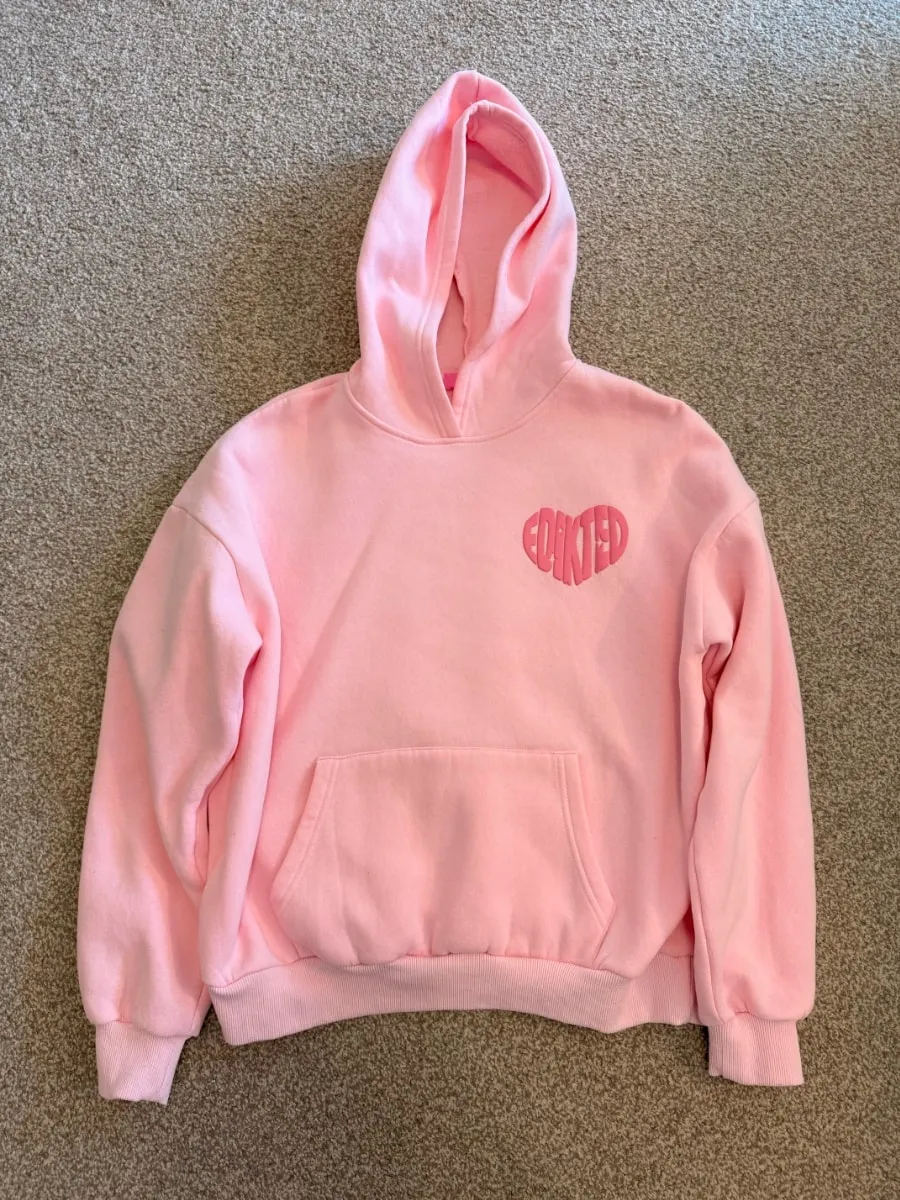 Good
Good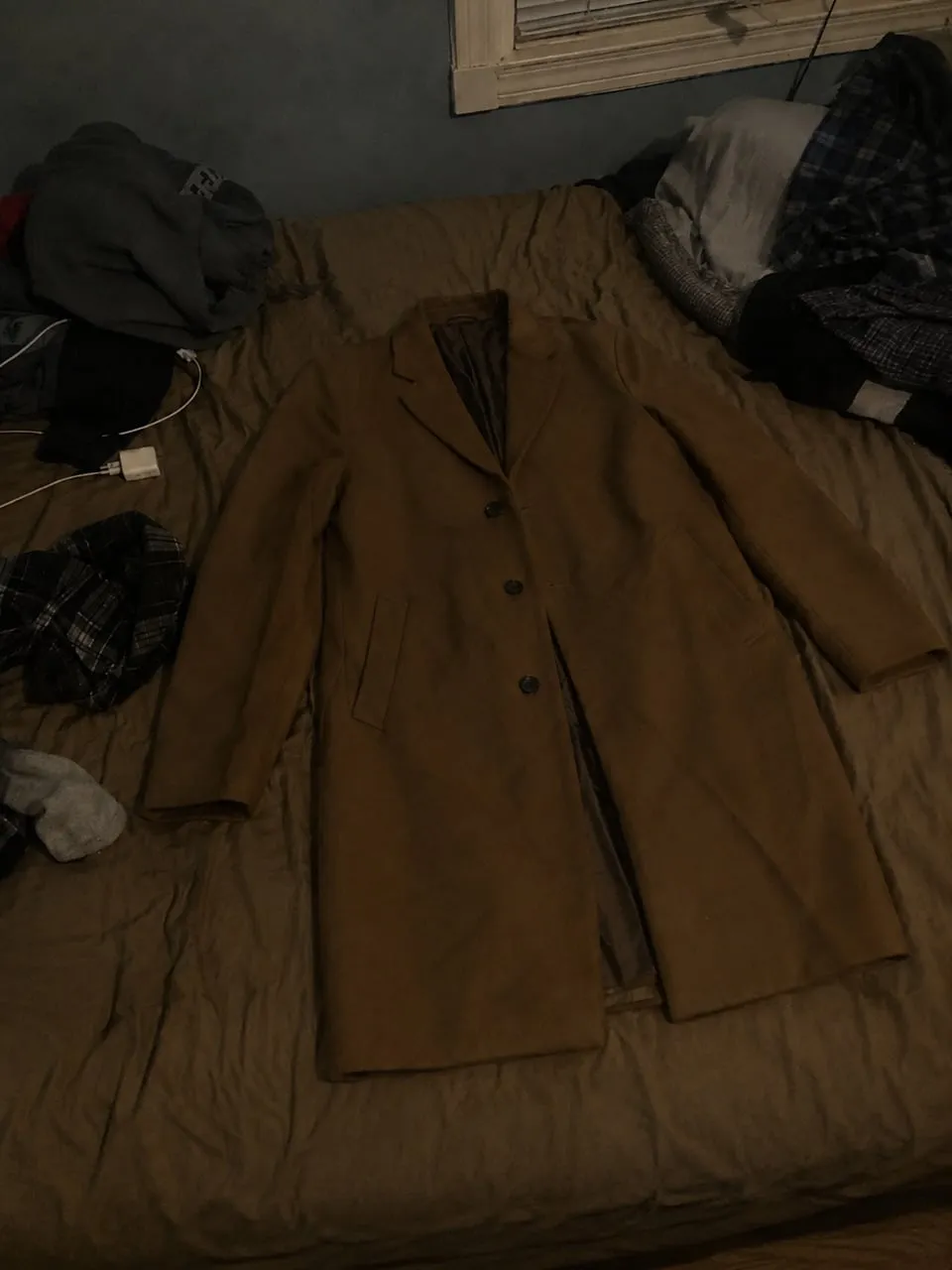 Avoid
AvoidBright, even lighting
Clean, uncluttered background
Laid flat and squared up
Whole item in frame and in focus
Dim, uneven lighting
Cluttered background
Item bunched up and at an angle
Distracting surroundings
Credits & purchases
- I bought credits but don't see them. Open the app's Settings and tap Restore Purchases. Purchases can take a moment to process after payment.
- Where's my balance? Your credit balance is shown in the app. Each photo uses credits; photos that don't finish don't.
- Do my credits expire? Top-up credits you buy don't expire — they stay in your balance until you use them, for as long as you have your account. Credits included with a subscription are there to use while it's active; any you haven't used expire when the subscription ends.
Subscriptions
- Managing or cancelling. Subscriptions are handled by Apple. On your iPhone, open Settings → [your name] → Subscriptions, choose Vintsnap, and manage or cancel from there.
- My subscription isn't showing as active. Open the app's Settings and tap Restore Purchases. If it still doesn't appear, email us.
Refunds
Purchases are processed by the Apple App Store, so refunds are requested through Apple. Visit reportaproblem.apple.com, sign in, find the purchase and choose Report a Problem. If you'd like us to help, get in touch and we'll do what we can.
Account & data
- Trouble signing in. Make sure you're using the same method (email, Apple or Google) you signed up with. If you're still locked out, email us.
- Deleting your account. You can delete your account and its data at any time from within the app's Settings.
- Your data & privacy. See our Privacy Policy for what we collect and how it's used.
App problems
- The app is crashing or won't load. Make sure you're on the latest version from the App Store, then close and reopen the app. Restarting your device can help too.
- Still happening? Email us with your device model and iOS version so we can look into it quickly.
Still need help?
Email hello@vintsnap.com and we'll get back to you. Including a screenshot and your device and iOS version helps us sort it out faster.