Best AI photo app for Vinted: what to check before you choose
A practical way to compare AI photo apps for Vinted by garment accuracy, usable outputs, workflow, cost and buyer trust, including where Vintsnap fits.
- Words by
 The Vintsnap team
- Updated
- Reading time
- 9 minutes
- Also in
- Read in French
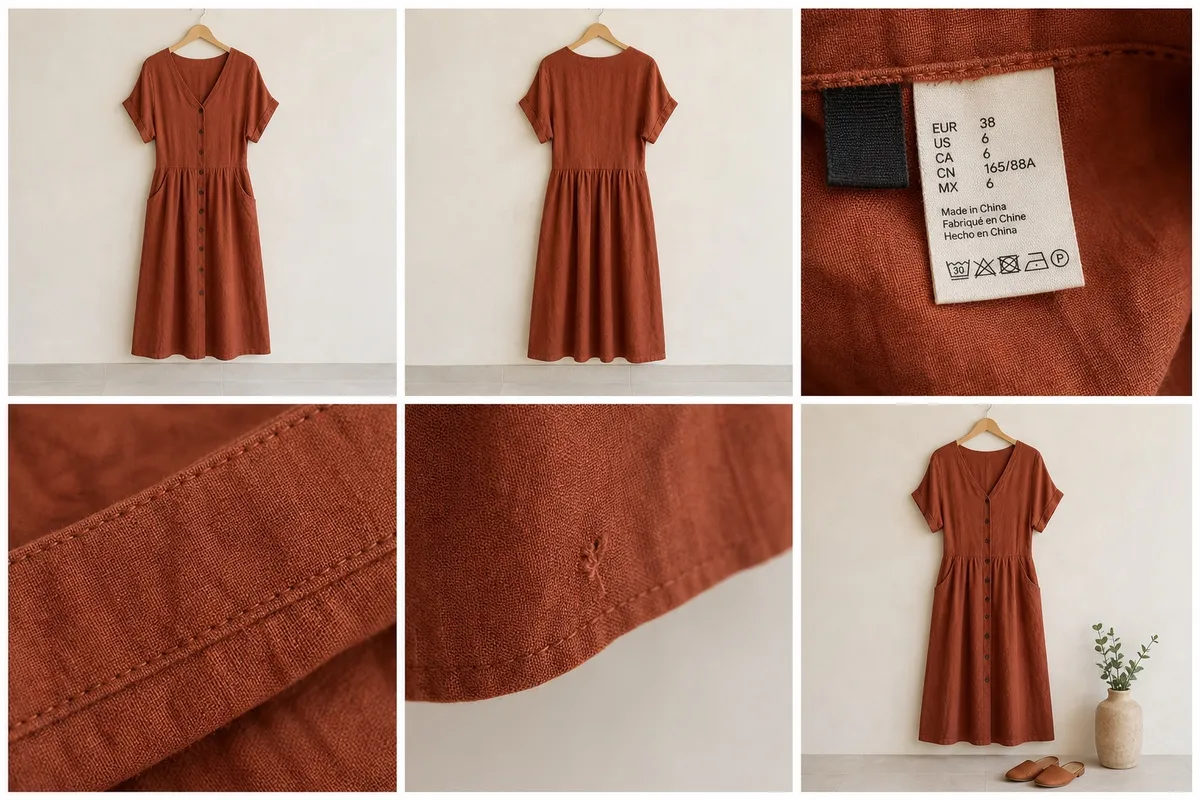
The best AI photo app for Vinted is not necessarily the one that produces the most dramatic image. It is the one that makes a real garment easier to understand while keeping its colour, construction and condition credible.
That distinction matters. A beautiful image may win attention, but a changed neckline, invented pocket or hidden mark creates the wrong kind of attention. Vinted buyers still need original evidence of what they are buying, and sellers need a workflow that saves more time than it creates.
This guide explains how to compare AI clothing-photo tools with the same five garments, how to calculate the cost of a usable result and where Vintsnap fits. It is written by the Vintsnap team, so we will be explicit about our product rather than pretending to be an independent comparison site.
What should an AI photo app for Vinted actually do?
There are several different products hiding behind the phrase “AI photo app”. A background remover cuts a garment away from a room. A general editor can relight or reconstruct a scene. A virtual try-on tool places clothing on a generated model. A reseller-first app starts with the listing workflow and offers a smaller set of relevant outputs.
None of those categories is automatically best. The right choice depends on the photograph you need and the evidence you already have.
For most clothing sellers, a useful tool should:
- accept an ordinary phone photo without a studio setup;
- preserve the garment’s recognisable colour, shape and details;
- offer presentation styles suited to clothing listings;
- return an image at a useful resolution and aspect ratio;
- make saving and repeating the process straightforward;
- explain its price before you commit to a large batch;
- leave room for honest original condition photos.
If an app cannot pass those basic checks, a long feature list will not rescue it.
Use the same five-garment test
Marketing examples are selected because they worked. Your wardrobe is a better test. Choose five items that expose different weaknesses:
- A plain dark garment to reveal lost edges and crushed fabric detail.
- A patterned shirt or dress to test whether prints stay consistent.
- A structured jacket to test lapels, pockets, buttons and silhouette.
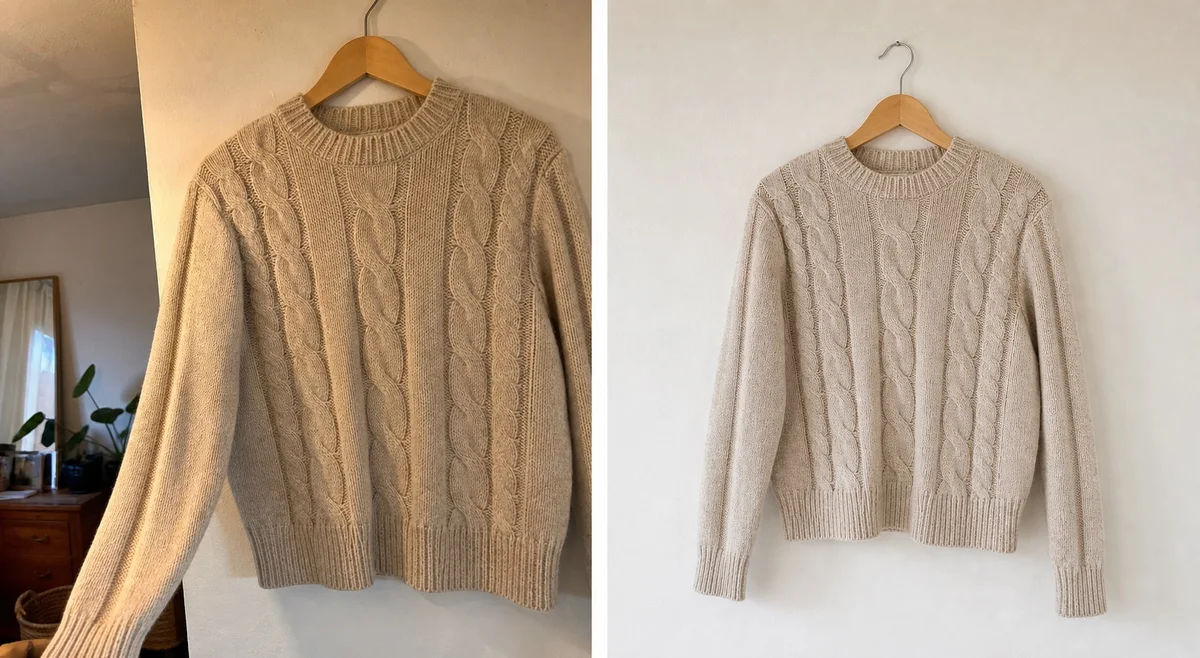
- A fine knit to expose invented texture, seams or transparency.
- A visibly used piece with a small flaw that must remain disclosed.
Photograph every item in the same indirect daylight. Keep the full original set, then send the same lead photo through each app you are considering. Do not change several variables between tools, otherwise you are comparing your inputs rather than their outputs.
Judge the results at full size, not only as small thumbnails. Zoom into fasteners, logos, hems, cuffs and patterns. A generated image can look convincing at a glance while failing at the details a buyer studies before purchasing.
Vintsnap Your photo
 Vintsnap
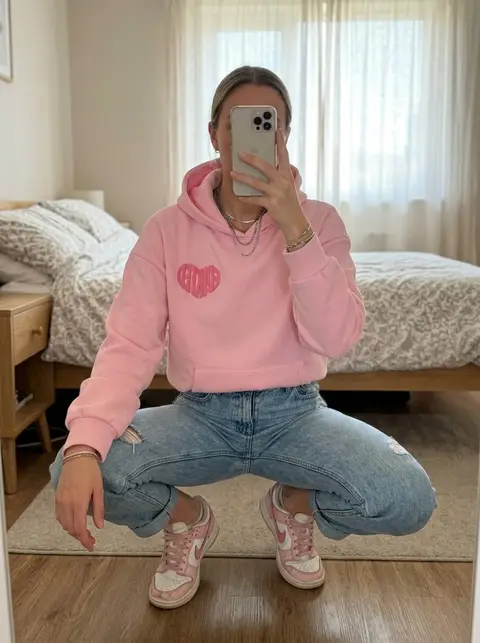
A useful AI result should improve the presentation while leaving the hoodie recognisable. Check the logo, drawstrings, cuffs, colour and proportions before using it.
Try VintsnapScore garment accuracy before style
Create a simple scorecard for every output. Give each line zero, one or two points.
| Check | 0 points | 1 point | 2 points |
|---|---|---|---|
| Colour | Clearly changed | Slight cast | Faithful to the original |
| Shape | Cut or proportions changed | Minor drift | Silhouette preserved |
| Construction | Details invented or removed | Small inconsistencies | Seams and fasteners intact |
| Pattern | Distorted or repeated badly | Mostly consistent | Pattern preserved |
| Condition | Wear hidden or invented | Ambiguous | No misleading change |
| Usability | Cannot be used | Needs more editing | Ready to save and list |
A result scoring ten or twelve is worth considering. A result scoring highly on style but poorly on accuracy should not become listing evidence.
Run the test more than once. Generative tools vary between attempts, so one lucky output does not tell you how reliable the workflow will feel across twenty listings.
Compare the main kinds of AI clothing-photo tool
Different categories solve different parts of the job.
| Type of tool | Usually best for | Watch for |
|---|---|---|
| Background remover | Clearing a distracting room while keeping the source garment | Rough edges, missing straps, artificial shadows |
| General AI photo editor | Flexible relighting, cleanup and scene changes | More controls, prompt learning and inconsistent garment reconstruction |
| Virtual model or try-on tool | Explaining approximate drape and outfit context | Changed fit, body assumptions and invented garment areas |
| Reseller-first photo app | Repeating listing-friendly styles quickly | A smaller style library and platform or credit limits |
The best AI photo app for Vinted may therefore be a focused tool rather than the most powerful general editor. Power only helps when the extra controls produce a better listing in less time.
Calculate cost per usable photo
Subscription price alone is a poor comparison. Count what reaches your camera roll and is accurate enough to publish.
Use this calculation:
Total amount spent ÷ number of usable saved photos = cost per usable photo
If a £10 purchase creates 40 generations but only 20 are faithful enough to keep, the practical cost is 50p per usable photo. If another tool costs more but produces a usable result more consistently, it may be cheaper for the work you actually complete.
Check these details before paying:
- Does a failed or unwanted result still consume a credit?
- Do credits expire at the end of a billing period?
- Can you buy a small pack without a subscription?
- Does exporting at full resolution cost extra?
- Can the app process more than one source view when the garment is complex?
Also count time. Five minutes of masking, prompting and repairing each photo can cost more than the generation itself if you list frequently.
Keep the complete listing honest
An enhanced image is presentation, not proof of condition. The safest photo set continues to show the real item from several angles.
Include:
- an original full front and full back;
- brand, size and care labels;
- close views of fabric, stitching and fasteners;
- every mark, repair, pull or missing element;
- useful measurements where fit varies;
- any enhanced or styled image only when it remains faithful.
Our complete guide to selling on Vinted explains how the photo set works with titles, descriptions, pricing and postage. Always check the current rules for your Vinted market before publishing an altered or generated image.
When Vintsnap is a good fit
Vintsnap is built for clothing resellers who want to move from a quick iPhone photo to a clean listing image without opening a desktop editor. You choose a presentation, generate the image, save it to the camera roll and continue with the rest of your listing.
It is a strong fit when:
- you sell clothing on Vinted, Depop, eBay, Poshmark or similar marketplaces;
- your source photos are ordinary phone shots taken at home;
- you want model, mannequin, hanger or styled presentation options;
- you prefer a focused mobile workflow to prompt-heavy editing;
- you understand that original condition photos still belong in the listing.
Vintsnap uses credits for each generation. Subscription plans include a recurring allowance, and top-up credits remain available for heavier listing periods. The useful comparison is still cost per result you keep, so start with a varied test set rather than processing an entire wardrobe at once.
When Vintsnap is not the best choice
No app is right for every seller. Vintsnap is currently an iOS app, so it is not the right choice if you need Android or a desktop-only batch pipeline. It focuses on listing photography rather than inventory management, cross-listing, pricing research or automatic descriptions.
A conventional editor may also be better when you need a precise manual repair, exact colour calibration or a simple crop on an already strong photograph. If the original image only needs straightening, use the smallest intervention that solves the problem.
Finally, do not use any generative photo tool when it cannot preserve a rare print, complicated trim, transparent fabric or important condition detail. Publish the original image instead.
Questions to ask before choosing
Can AI photos be used on Vinted?
Rules and enforcement can vary by market and change over time. Vinted requires listings to represent the real item and prohibits misleading or copied imagery. Check the current Help Centre for your market and keep clear original photos showing the garment and its condition.
Should the AI image be the first photo?
Only use it prominently when it remains faithful and the current marketplace rules allow it. If there is any doubt, lead with the best original full-garment image. Accuracy is more valuable than a dramatic cover.
Is a virtual model always better than a hanger?
No. A model can suggest drape, while a hanger or flat lay may preserve construction more reliably. Choose the simplest style that helps a buyer understand the piece.
How many test images are enough?
Five varied garments and at least two attempts per garment reveal much more than one successful sample. Keep notes on failures as well as favourites.
Choose the app that creates fewer doubts
The best AI photo app for Vinted should make listing easier for the seller and assessment easier for the buyer. Test accuracy first, count usable results rather than generations and keep the original evidence in every listing.
Vintsnap is one focused option for that workflow on iPhone. Whether you choose it or another tool, the strongest result is not the most elaborate image. It is the one that still looks like the garment in your hand.