How to photograph clothes for eBay (and cut your returns)
On eBay, your photos are a promise the buyer holds you to. Here's how to shoot secondhand clothing so it looks trustworthy, answers questions, and sells.
- Words by
 The Vintsnap team
- Published
- Reading time
- 5 minutes
eBay buyers shop differently to Vinted or Depop browsers. They are often comparing several near-identical listings, they read the detail, and they are quick to open a “not as described” case if what arrives does not match what they saw. That makes your photos do a particular job on eBay: not just to attract a buyer, but to set an accurate expectation that protects you after the sale. A listing that sells fast but earns a return has cost you twice.
The good news is that the same photos that reduce disputes are the ones that win the click in the first place. Buyers trust thoroughness. Here is how to shoot for it.
On eBay, the photo is a promise
Every image you upload is something a buyer can hold you to. If a mark is not in the photos and you did not mention it, an unhappy buyer has a strong case, and eBay’s resolution process tends to side with them. So the mindset that serves you best is not “make it look as good as possible”, it is “show it exactly as it is, clearly”.
This sounds like it would hurt sales. It does the opposite. Buyers who can see precisely what they are getting, including the honest wear, buy with confidence and complain far less. The seller who hides a flaw makes one slightly easier sale and then loses the item, the postage, the fee and the rating to a return. The seller who shows it keeps the sale and the rating. Photograph for the buyer you want to keep, not the one you want to trick.
Win the gallery thumbnail in search
eBay shows your first photo as the gallery image across search results, and it sits in a grid next to your competitors. A clean, well-lit shot on a plain background stands out in that grid, while a dark or cluttered one disappears. eBay itself nudges sellers towards clear images on plain, light backgrounds for this reason, and for clothing it genuinely is the strongest opener.
Make the first image the clearest full view of the piece: shot square on, filling most of the frame, in good daylight, against a plain wall, floor or sheet. No props competing for attention, no busy background. The job of that thumbnail is to communicate in half a second, this is the item, it is in good condition, this seller is careful. Everything else goes in the photos that follow.
Photograph the condition like evidence
This is where eBay listings are won or lost. After the hero shot, your job is to answer, in pictures, every question a careful buyer would ask, so they never have to message you and never get a surprise.
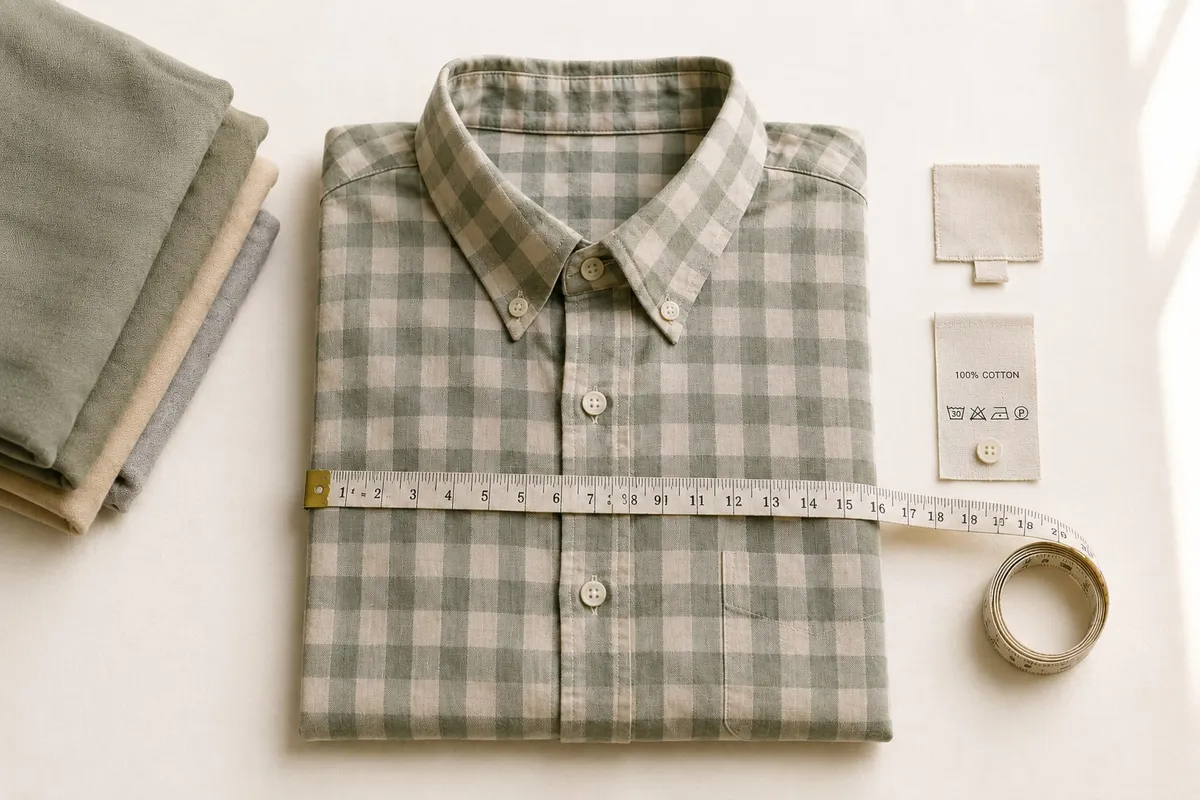
Shoot the brand and size label, and the fabric composition tag. Lay a tape measure across the key measurements, chest or waist laid flat, and length, so size disputes never start. Then photograph the condition honestly and in close-up: any bobbling, a faded patch, a small stain, a missing button, worn cuffs, the soles and heels on shoes. Light these clearly and get close. A buyer who can see a flaw before they bid has accepted it before they pay. A buyer who finds it in the parcel opens a case. Counter-intuitively, the listings with honest flaw photos often sell for more, because the overall set reads as trustworthy.
Shoot the complete set, every angle
eBay buyers expect to be shown the whole item, not a flattering glimpse. For most garments that means front, back, a shot of the inside or lining, the labels, the closures, and a clear view of any detail that sells the piece or that a buyer would worry about. For shoes, add the soles. For bags, the interior, the hardware and the base.
A complete set does two things at once. It removes the buyer’s reasons to hesitate, which speeds the sale, and it removes their grounds to dispute, which protects it. Where it helps most is fit: a flat photo proves the item, but a shot on a body shows how it actually sits, which is the single biggest reason clothing gets returned.
Vintsnap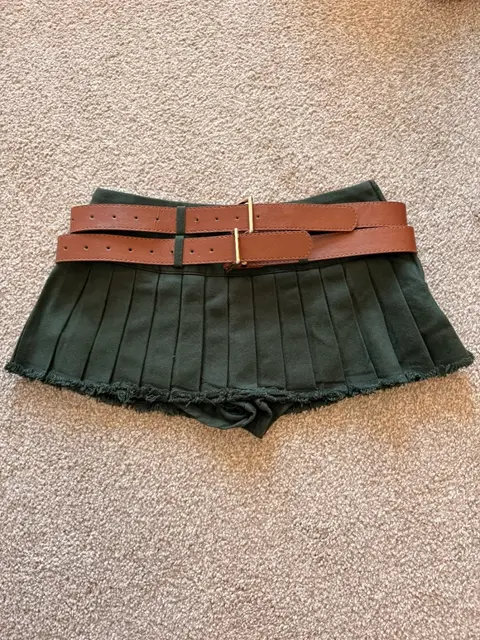 Your photo
 Vintsnap
The same skirt, photographed flat then shown on a model.
Try VintsnapIf you are shooting at home without any kit, our guide to photographing clothes without a studio covers how to get clean, even shots from a window and a phone.
Keep it consistent if you sell in volume
If eBay is a steady side income rather than the odd clear-out, consistency starts to matter as much as any single photo. A buyer who lands on one of your listings and clicks into your other items is far more likely to buy, and to buy more than one, if everything is shot to the same standard, same clean background, same even light, same complete set. It reads as a proper shop rather than a one-off seller, and proper shops get the benefit of the doubt.
Doing that by hand for every item, the plain hero, the labels, the measurements, the flaw close-ups, all in consistent light, is a lot of repetitive work. Vintsnap takes one quick photo of the garment and returns a clean, true-to-item listing photo on a consistent studio background, every piece in the same look. It cleans up the presentation without inventing anything: the item still arrives as the buyer saw it, which is the whole point on eBay. You keep the honesty that prevents returns, and lose the hour it used to take to shoot it.